


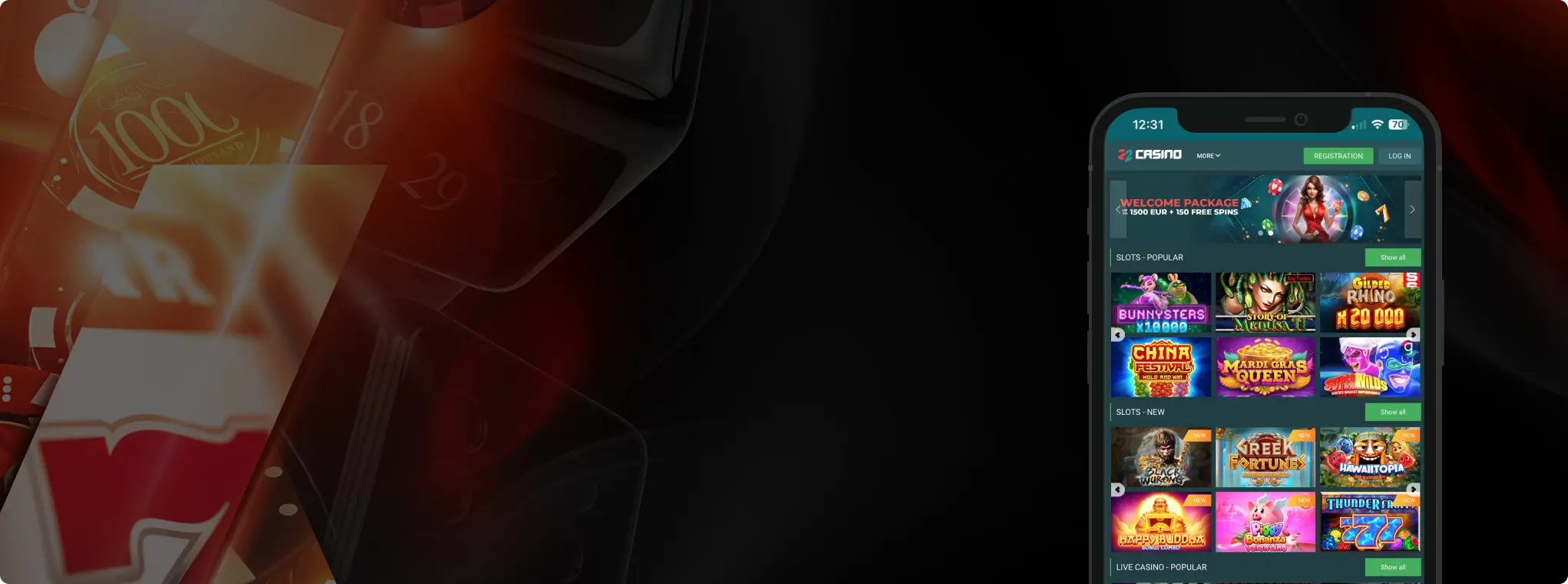
22Bet App Indonesia – Mobile Betting & Casino Review
Honest review of the 22Bet app for Indonesian players: how to download the APK, iOS options, supported devices, mobile site, features, and key risks.
Join Now22Bet App for Indonesian Players
If you live in Indonesia, chances are you do almost everything on your phone – pay bills, order food, scroll socials, watch football highlights. Betting is no different. 22Bet leans hard into that reality with a mobile-focused setup: Android APK, iOS app for some regions, and a responsive mobile site that basically mirrors the desktop.
Before we go into details, one reminder up front: online gambling is illegal in Indonesia. Accessing offshore apps and sites like 22Bet comes with legal and financial risks. Nothing here is advice to ignore local law – this is a practical review for people who are already looking at 22Bet and want to know what they’re dealing with, especially on mobile.

22Bet App – What It Actually Looks Like
The 22Bet app is not a “mini version” of the site; it’s basically the full platform wrapped into a mobile shell. On both Android and iOS (where it’s available), you get:

- Full sportsbook – pre-match and live odds on football, basketball, tennis, esports, etc.
- Esports hub – CS2, Dota 2, League of Legends, Valorant, FIFA/eFootball sims.
- Casino games – slots, live dealer tables, instant games.
- Banking – deposits and withdrawals through the same wallet.
- Bonuses & promos – the same welcome offers, reloads, and tournaments you see on desktop.
On Android, you install an APK from a 22Bet mirror link; on iOS, the official instructions usually point you to the App Store for supported regions.
The app is built around three main tabs:
- Sports / Live – all events and odds.
- Casino / Slots – game tiles with providers, filters, and search.
- My Account / Bets – bet history, cashier, settings, bonuses.
The big difference versus just using the browser is how it feels:
- Faster с between pages;
- Saved login (if you allow it);
- Notifications for results and promos;
- Slightly smoother in-play experience because assets are cached.
For someone betting from an Android phone in Indonesia – which is the majority of the market – the app is clearly the main target, with the mobile web as a fallback if you don’t like installing APKs. Android holds over 85% of mobile OS share in Indonesia, while iOS sits around 14%, so it makes sense that most tutorials are Android-first.
How to Download & Install the 22Bet App
Getting the app is the first hurdle, especially when it’s not in the Indonesian Play Store and the iOS situation is messy. Here we walk through the real process step by step – Android APK, iOS where it works, and what to do when your phone starts throwing warnings.


Android (APK installation)
Because of both Google’s own rules and Indonesia’s legal situation, you should not expect to just search “22Bet” in Google Play and tap Install. Most guides – and 22Bet’s own mirrors – tell you to grab the APK directly from the website.
Step-by-step (typical flow):
- Open a 22Bet mirror in your mobile browser: Use Chrome or any other browser and go to one of the working links (for example, their official alternative domains or local mirrors – these change, so players often get them from affiliate sites or Telegram groups).
- Scroll to the mobile / app section: On most mirrors there’s a “Mobile App” or “Android app” button in the header or footer. Tap it and you’ll land on a page with an APK download link and sometimes a QR code.
- Download the APK: Tap “Download for Android” – your browser will warn you about downloading from outside Google Play. Confirm if you trust the source.
- Allow installation from unknown sources: The first time you do this, Android (especially on brands like Samsung, Oppo, Xiaomi, Vivo, Realme) will ask you to allow installs from this browser or file manager. Accept it for this one app.
- Install and log in: Once the APK is saved, tap it, hit Install, and then open the app. Log in with your 22Bet account or register a new one from the app screen.
If any step fails (for example, the APK doesn’t open or the install is blocked), it’s usually due to:
- An overly aggressive security setting;
- An outdated Android version;
- Or the link being broken/blocked by your provider.
In that case, the mobile web version (see below) is the only realistic option.
 Download the
 android app

Ios (Where Supported)
On iOS, 22Bet’s instructions normally say: “Open the site on your iPhone, tap the iOS app banner, and you’ll be redirected to the correct App Store page”.
The usual flow is:
- Open the 22Bet site from Safari.
- Tap the iOS app icon or banner.
- The page tries to open the App Store with the 22Bet app listing.
- Tap Get, install, then log in.
 Download the
 IOS app

App Features & Benefits
Once the app is on your phone, the question is simple: is it actually better than the mobile site? In this section you’ll see what the app does well – from one-hand betting and live odds to notifications and security basics – and where it can be a bit too “sticky” if you struggle with self-control.
Portability and Daily Use
On a normal Indonesian setup – say an Oppo, Xiaomi, Samsung, Vivo, or Realme mid-range phone – the 22Bet app is clearly built for quick, everyday use:
- One-hand operation: bottom tabs, large odds buttons, swipeable menus.
- Fast access to favourites: star your favourite teams or leagues, then open them in one tap.
- Instant betslip: tap odds, see the slip slide up, plug in stake, confirm – all on one screen.
If your whole routine is “open phone → check Instagram → check scores → place a small bet”, the app fits straight into that pattern.
Security Basics
The app isn’t magical security, it’s still just a frontend for your 22Bet account, but it does add a few practical layers:
- Encrypted connection (same HTTPS as the site).
- Saved login on your device – good for convenience, dangerous if you lose your phone and don’t use a screen lock.
- Extra verification via email/SMS when you withdraw or change key details.
There’s no on-device PIN like a banking app by default, so if you’re going to use it:
- Lock your phone.
- Don’t share the device with people you don’t fully trust.
- Log out if you’re using a shared tablet.

Mobile Optimization
The app and mobile site both keep the essentials:
- All main sports and esports markets, including live.
- Casino lobbies with provider filters and search.
- Full access to bonuses, account settings, and support chat.
On a decent connection (4G or better), the app usually:
- Loads live odds faster;
- Keeps the betslip state if your connection drops for a moment;
- Feels smoother in long browsing sessions compared to a browser with lots of tabs open.
Small Extras
Depending on your mirror and region, you may also get:
- Push notifications – results, big promos, or “your bet settled” messages.
- Live trackers / streams embedded into the app for certain events.
- One-click fast bets if you enable Quick Bet in settings.
Those are all double-edged. Nice for information; terrible if you’re trying to gamble less and your phone keeps pinging “new acca booster today”.

App Requirements & Compatible Devices
Not every device in Indonesia is a brand-new flagship, and 22Bet knows that. Here we match the app to real phones people actually use – Oppo, Xiaomi, Samsung, Vivo, Realme, older iPhones – and outline what kind of OS, RAM and connection you realistically need for the app to run smoothly.

What Phones People Actually Use in Indonesia
To keep this grounded in reality, let’s look at the current market:
- Android has over 85% share of mobile OS in Indonesia; iOS sits around 14%.
- The main brands by share are Samsung, Oppo, Xiaomi, Vivo, and Apple, with each major Android brand holding roughly 11–16% of the market.
- Most active devices now run Android 11, 12, 13, 14 or 15, with older versions slowly disappearing.
So when we say “compatible devices” for 22Bet in Indonesia, we’re mostly talking about:
- Xiaomi Redmi / Poco series, Oppo A/Reno, Vivo Y/V series, Samsung A/Galaxy S, Realme budget and mid-range phones, plus a smaller number of iPhones.
Download the IOS app
Official Compatibility Claims
22Bet’s own mobile info (from mirrors and documentation) says:
- The app works on Android and iOS devices.
- It can be downloaded from the website and is compatible even with very old Android versions (they mention Froyo 2.0 and classic phones like Galaxy, Sony Xperia, HTC One, etc.).
In practical 2025 terms:
- Any Android device from the last 4–5 years with Android 8.0+ should be fine.
- Any iPhone that still receives iOS updates and can run modern apps is more than enough power-wise.
Download the Android app
Realistic Minimums for Smooth Use
22Bet doesn’t publish a neat “minimum specs” table, but looking at how the app behaves and today’s hardware, a sensible baseline would be:
Android
- OS: Android 8.0 or newer (most Indonesians are on 11–15 anyway).
- RAM: 2 GB minimum, 3–4 GB recommended.
- Storage: A few hundred MB free for the APK plus cache.
- Connection: Stable 4G / 5G or fast Wi-Fi for live betting and casino.
iOS
- OS: Something in the iOS 13+ range (basically anything from iPhone 8 upward).
- Storage: Similar story – the app itself is small, but you want free space for updates.
If your phone struggles to keep Instagram or YouTube running smoothly, the 22Bet app will probably feel laggy, and you’re better off with the lighter mobile web and fewer live markets open at once.
Mobile Web Version – When You Don’t Want the App
Not everyone wants to install an APK from a betting site, and with Indonesia’s legal climate that’s understandable.
22Bet’s mobile web version is the same site, just optimised for small screens:
- It runs in Chrome, Safari, or any modern browser.
- It automatically adjusts layout for your phone.
- You get the same account, odds, casino games, and bonuses.

When the mobile site makes more sense than the app:
- You’re on a shared device and don’t want a permanent app icon.
- Your storage is nearly full.
- You’re testing 22Bet and don’t want to commit to APK installation yet.
- Your network blocks APK downloads but the site still opens.

You can also add a home screen shortcut from your browser, so it looks like an app tile but opens the website. That’s a good middle ground: quick access, no extra installs.
Join NowFrequently Asked Questions (FAQ)
1. Is the 22Bet app on Google Play in Indonesia?
2. Is there an iOS app for Indonesian players?
3. Is the APK safe to install?
4. My phone says “installation blocked”, what do I do?
5. Does the app have special bonuses that the website doesn’t?
6. How do updates work?
7. The app keeps crashing / freezing – what now?

Responsible Gaming & Indonesian Reality
22Bet has a polished, easy-to-use mobile setup that fits very well into how Indonesians actually use their phones (Android-first, apps for everything, constant connectivity).
And if you ever feel like betting is starting to control your mood, your sleep, or your finances, close the app, uninstall the APK if needed, and reach out to a support line or someone you trust. The nicest interface in the world isn’t worth wrecking your real life for.
Join Now